
Approve, decline or edit in the Inbox
A change that waits for you shows up in the AI Inbox. Open AI in the left menu, then AI Inbox. The Inbox also has a tab called "Needs your approval", and Home has a card called "Waiting on you". Both lead to the same changes.
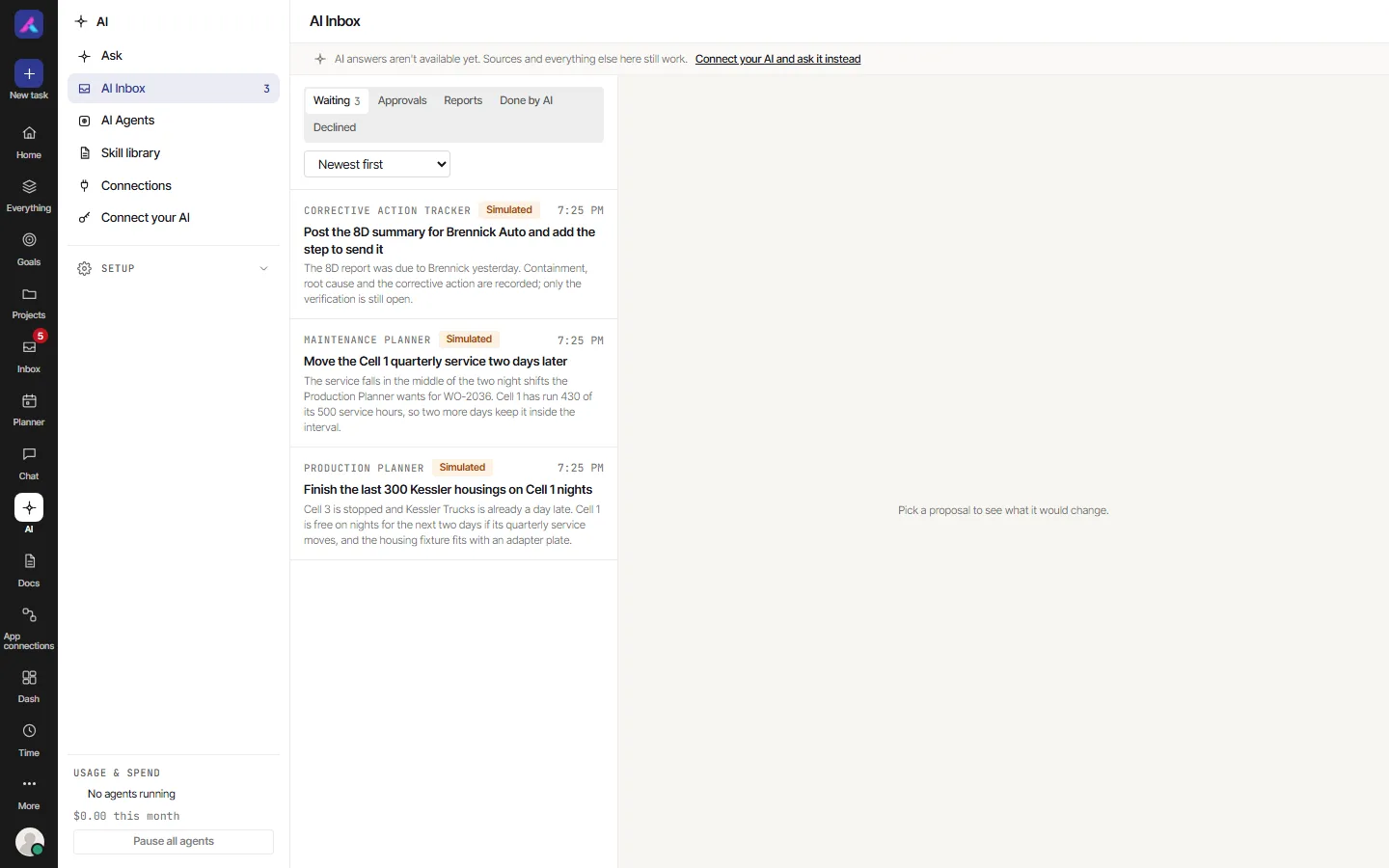
What a card shows
- Who asks: for example "{agent}, for {person}".
- "Why": the reason the AI gave.
- "What changes": every change, as it will be made.
- A "not reversible" mark on a change that cannot be undone.
- "Needs an owner or admin" on a change only an owner or admin may decide. Anyone else sees "Only an Owner or Admin can decide this one."
Nothing happens until you choose.
Approve
Choose Approve. The change is made as listed. You can then undo it for 15 minutes. See Undo a change.
You can tick several cards, or Select all, and choose Approve selected. Each one is approved in turn, exactly as listed. Nothing outside the list is approved.
To approve, you must be a member of the workspace. You must also be allowed to make that change yourself, and be able to open what it touches. If the person who asked can no longer open it, or the app's connection has ended, the approval is refused with a reason.
Decline
Choose Decline. "Why decline?" offers a few reasons: "Too many changes", "Wrong tone", "Needs a person", "Not now" and "Another reason". You can also write your own words, or choose "Decline without a reason".
Nothing changes. Your AI app can ask what became of the request. It is told it was declined, and why if you said. It is told not to file it again and not to try another way.
Edit
Edit is on cards from the agents that AlianHub runs for you. Choose Edit, then Drop next to any change you do not want, then Done editing, then Approve.
A change that came from your own AI app has no Edit. It is approved or declined as it was filed. If you want something different, decline it and tell your AI app what to change.
Always do this
Some cards also have Always do this. It means: from now on, this agent makes this kind of change in this project without asking.
When you choose it, AlianHub asks "Always do this?" and explains. Choose "Approve and always do this".
- It covers one kind of change, from one connection, for you, in one project.
- It ends after 90 days.
- Each change it lets through is listed in the Inbox under "Done without asking", with Undo.
- You can remove it sooner. Open the project's details, find "Always do this" and choose Remove. You can remove your own. An owner or admin can remove anyone's. After that the agent asks again.
- It ends by itself if the project's rule for connected agents becomes stricter, if the app's connection ends, or if the person who made it leaves the workspace.
It is offered only for a single change from a connected AI app, one task at a time, that can be undone. It is never offered for:
- Closing a task, or any status change. A person decides each close.
- A change that always needs an owner or admin.
- A change that reaches more than one task.
- A change from a run that read content from outside AlianHub.
It cannot be combined with Edit.
It matters in projects set to "Propose everything". In a project set to "Act on single tasks, propose anything wider", a single-task change already happens at once.